
Here’s how to check your email account storage.
- Open https://stackmail.com/ in a web browser.
- Enter your email address.
- Enter your password.
- Click the ‘Login’ button.
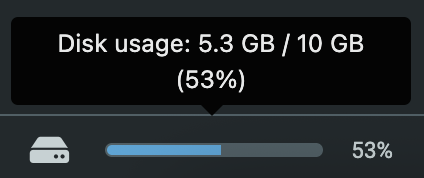
- Towards the bottom left of the screen, your storage usage is displayed.
Need more space? #
Please submit a support ticket, and our team can help.
Storage can be upgraded in increments of 10GB. Storage costs £25.00 + VAT annually, per 10GB.
Freeing up inbox space #
- Delete emails from your Trash folder. When emails are deleted from your inbox or other folders, they will go to your trash. These emails are still accessible to you and are recoverable, but are still taking up room on the server, and so are using your mailboxes’ storage space. Once you delete emails from your trash, they are gone completely. After this, they’re no longer recoverable, so only delete emails you’re sure you don’t need.
- You can also remove your sent emails if you no longer need a copy yourself. Deleting emails from your sent folder will not remove them from the recipient’s inbox but will free up space on our server for your mailbox.