Skip to main content Skip to footer
Chaos Docs logo
hello@chaosinternet.co.uk01354 655555
Start Support Ticket

Email

9
  • How do I set up my mailbox on Thunderbird?
  • How do I set up my mailbox on Mac Mail?
  • How much storage do I have left?
  • What is my password?
  • How can I change my password?
  • Can I log into my email account via a web browser?
  • How do I set up my mailbox on iPhone?
  • How do I set up my mailbox on Android?
  • How do I set up my mailbox in Outlook?
View Categories

How do I set up my mailbox on iPhone?

On the device you wish to set up mail:

  • Go to Settings > Apps > Mail.
  • Select Mail Accounts. 
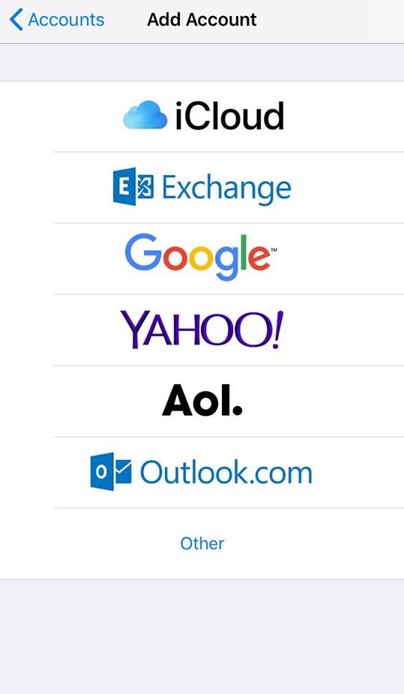
  • Select Add Account.
  • Select Other from the list.
iOS email menu
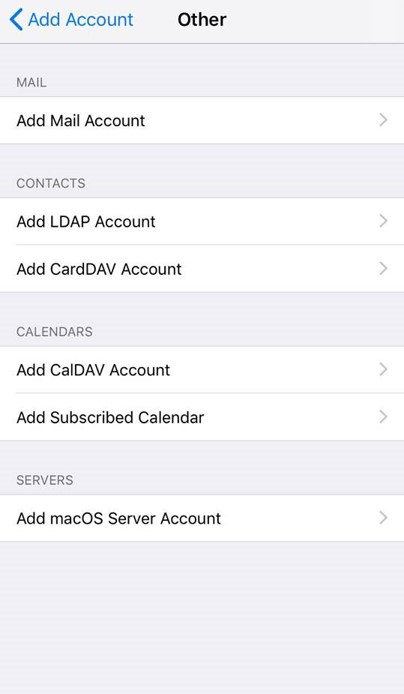
  • Select Add Mail Account.
iOS Add mail account
  • Input the information requested:

Name: Anything
Email: example@yourdomain.com    
Password: Your email account password    
Description: Personal or Business, etc
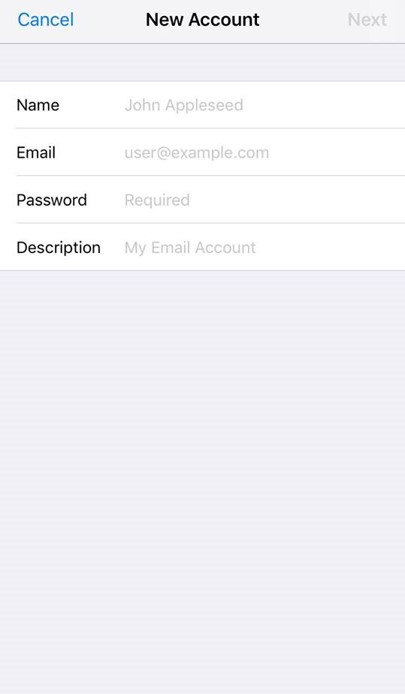
iOS New email account

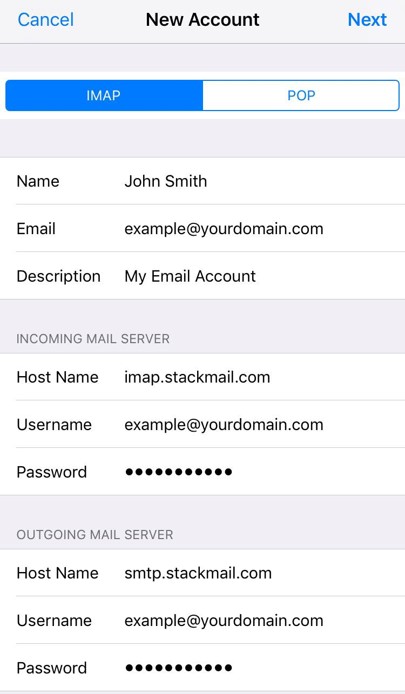
IMAP:

Incoming Mail Server    
Host Name: imap.stackmail.com    
Username: example@yourdomain.com    
Password: Your email account password

Outgoing Mail Server    
Host Name: smtp.stackmail.com    
Username: example@yourdomain.com    
Password: Your email account password

iOS email settings IMAP and POP
  • Finally, select the mail account and go to the Outgoing Mail Server settings. Select Primary Server, ensure SSL is switched on, and the port is set to 587.
Updated on April 25, 2025
Registered in England and Wales No. 06058324. VAT Reg No. GB903825629. Copyright © 2007 - 2025 Chaos Internet Ltd. All Rights Reserved.